Try It Out!
Objective
Empower students to learn at their own pace within a new digital framework.Purpose
In math, learning isn't always a straight line to mastery. Sometimes students need to explore at their own pace and move around independently from a whole-class experience. Our digital experience needed a solution that would enable them to do so.Outcome
We developed a new instructional object from scratch over the course of a couple months in order to hit our back to school deadline. Teachers and students alike love the flexibility this outcome offers.Repeatable, Familiar, Friendly
We had been using the same e-book format for close to a decade, which was a licensed product and therefore fraught with potential complications. When HMH officially transitioned to a digital first learning company it was time to update our digital authoring and output software as well. Enter Classcraft. Built off of repeatable patterns that introduced recognizable routines session after session, this new approach was not only proprietary, it was a friendlier experience for our users as well.
Whole-Class vs. Student-Driven
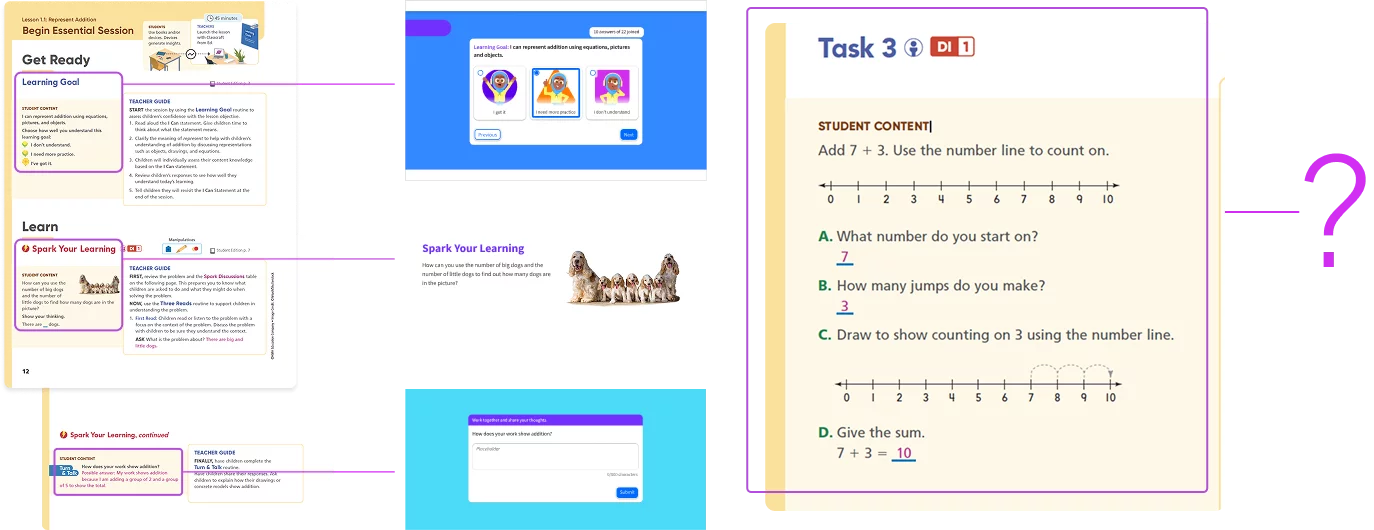
The biggest issue we ran into when adopting this system was that it was primarily a whole-class instruction tool. Great for teaching every student at once, but not conducive for self-paced learning and exploration; an equally important part of the classroom experience! I was leading our new math program at the time, which needed this functionality for back to school, so we were also tasked in the development of this new instructional object. Working closely with curriculum specialists, we decided that this new IO needed a few things:
students could move within the content independent of the rest of the classroom
students needed to tackle several steps for any given object, which required maintaining context along the way
a sense of navigational place and completion without locking content behind response accuracy
We named this new tool after the sense of exploration it encouraged: Try It Out.
Side By Side
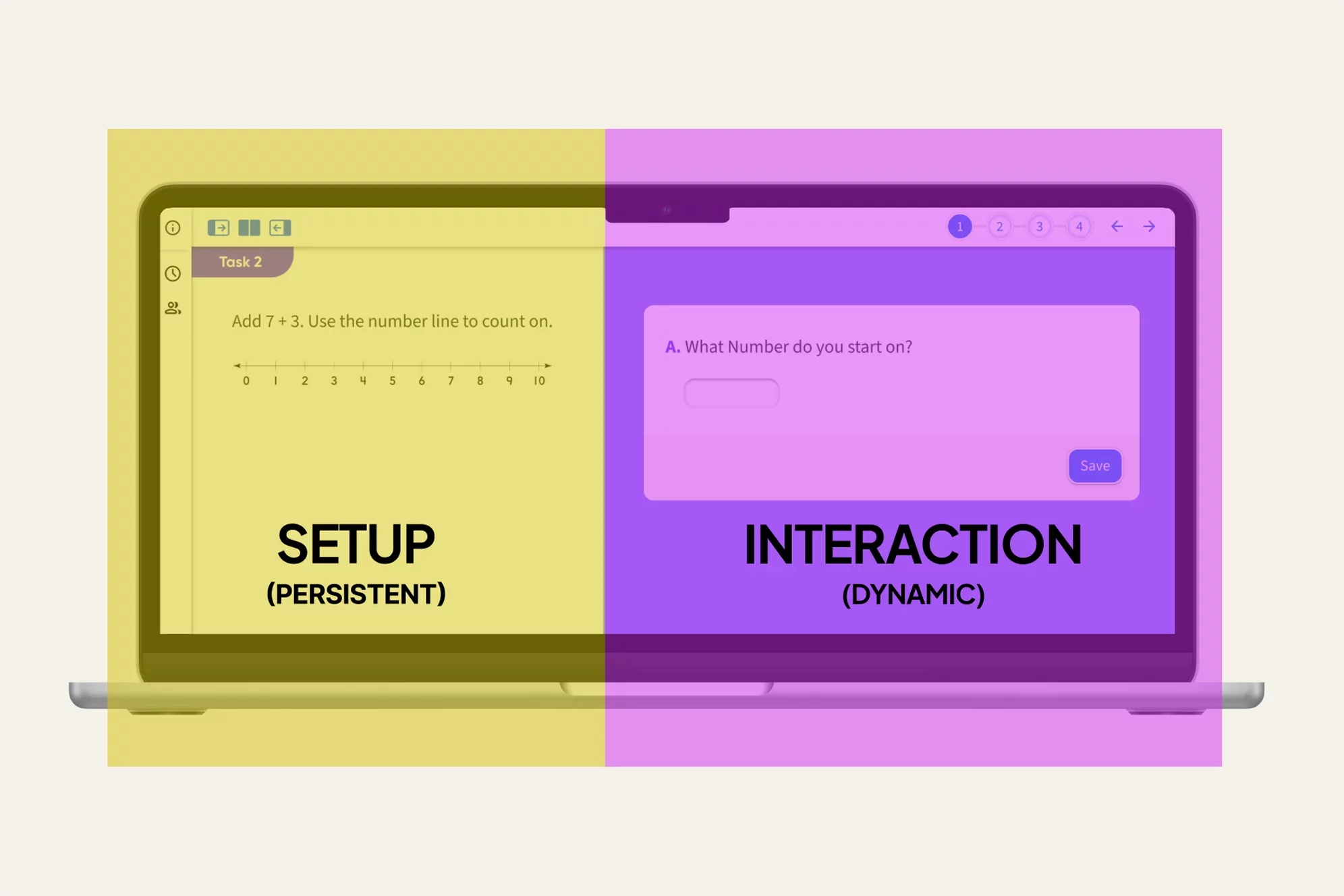
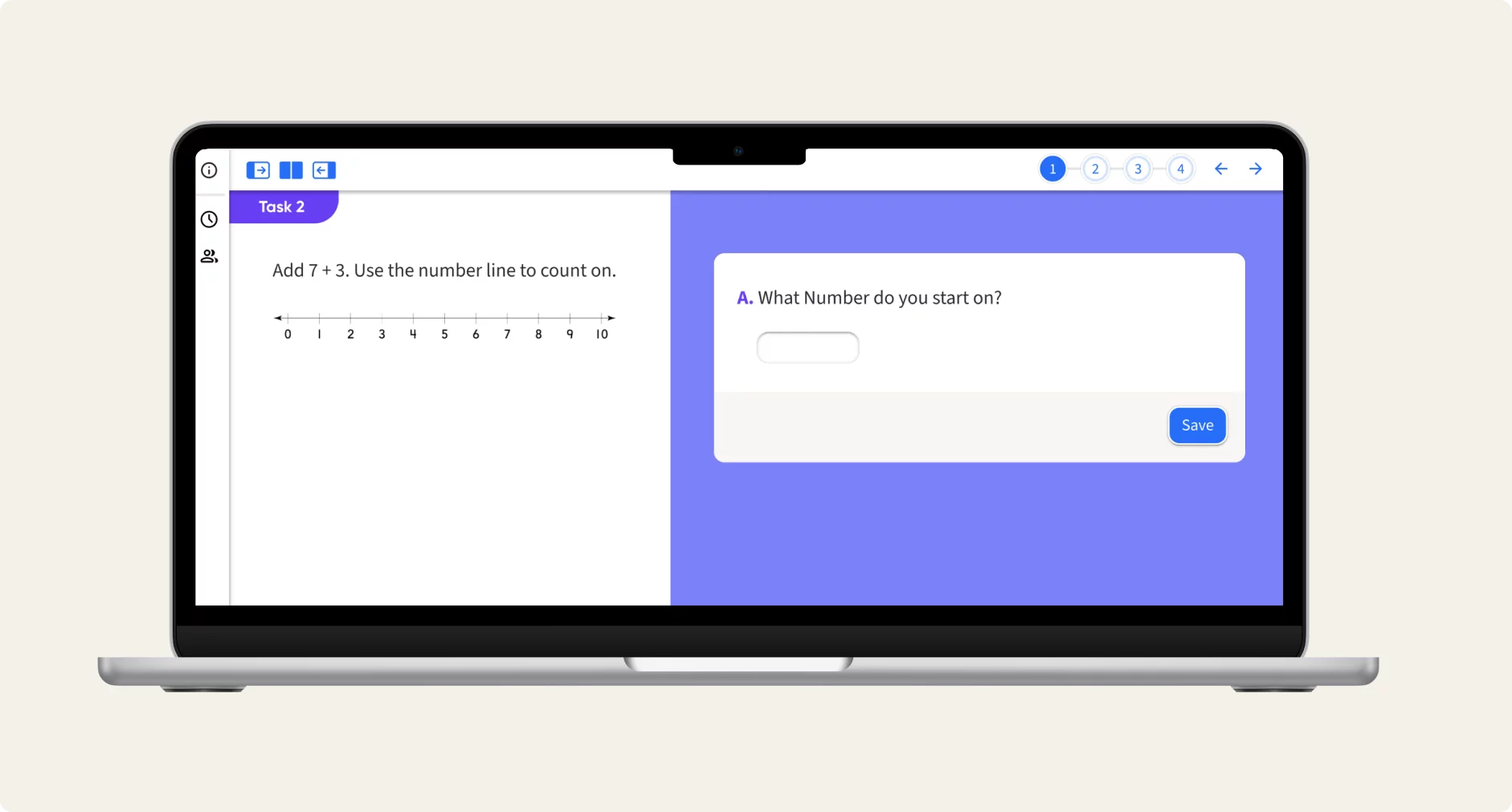
Our first decision was to organize the content in a side by side layout: persistent instructional material and initial stimulus on the left, interactions that dynamically changed with each step on the right. This maintained original context throughout the experience even as the task changed with each new step.
Expandable Focus
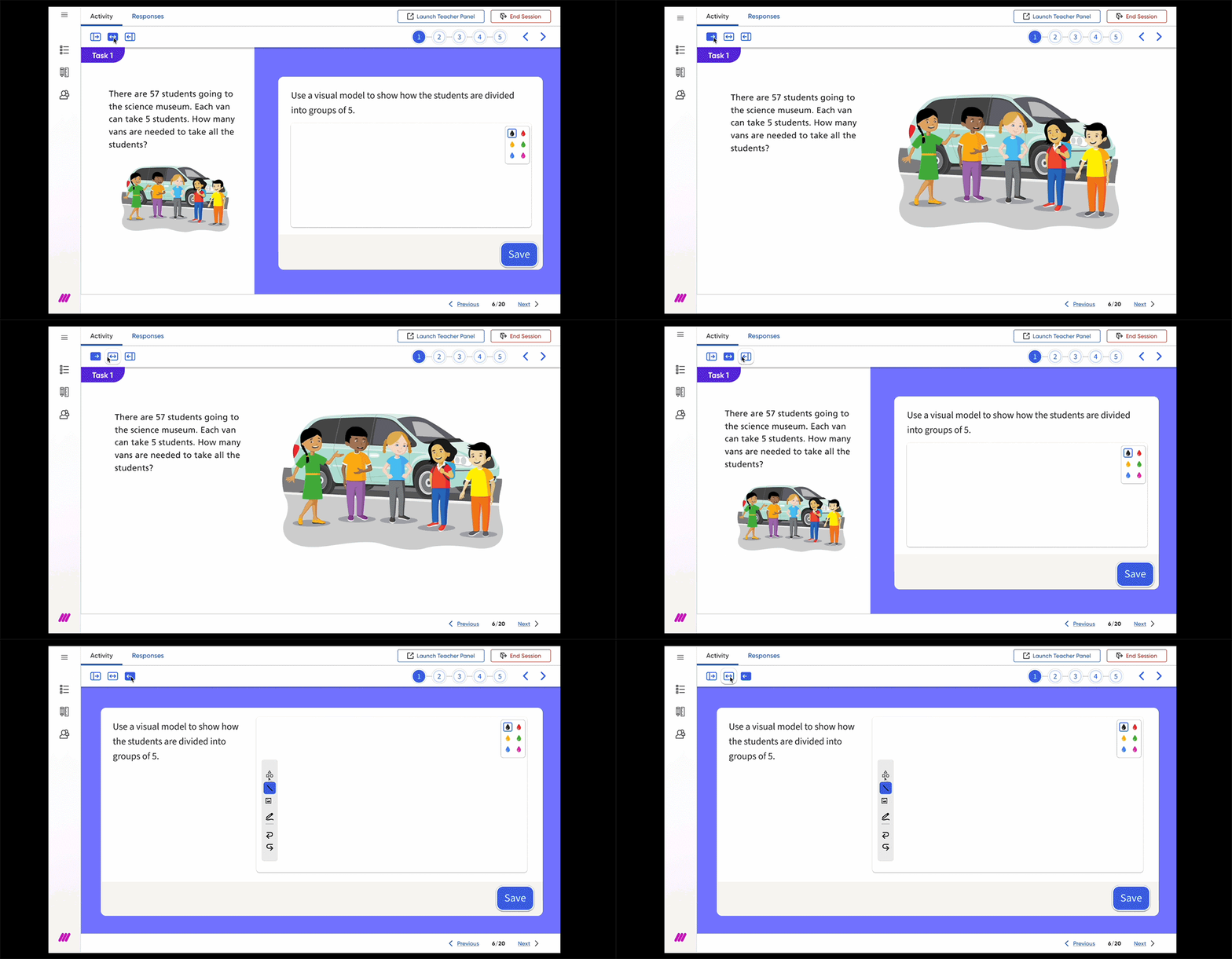
With this side by side approach we felt it necessary that students and teachers be able to focus on either side independent of each other. For example, there may be an image on the left side that teachers want to view larger for the whole class to view. Alternatively, students may want more room to draw on the interactive canvas so they choose to focus on the right side. That greater flexibility allowed for a more complete user experience.
Step It Out
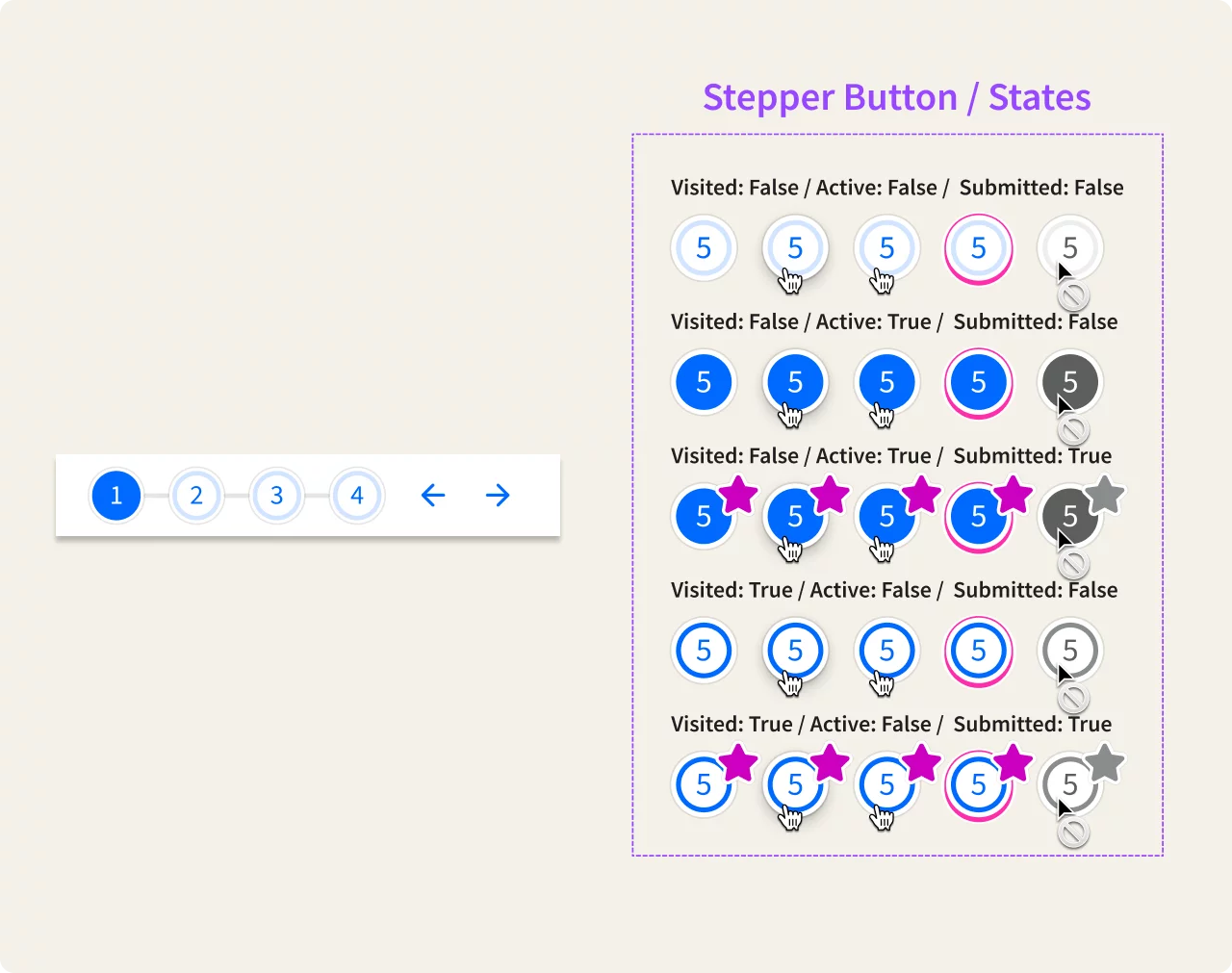
Finally, we wanted to give students and teachers a navigation tool that not only helped to orient themselves within the task (some of which had upward of 10 independent activities), but also give indication of what had or had not been completed. For this we developed a stepper component with a robust set of visuals to communicate a variety of states. We hoped this would help students navigate within a complex, multi-step problem space and provide them with a visual sense of accomplishment as well.
Feedback and Next Steps
While this new feature was overwhelmingly welcomed by teachers and students alike, testing revealed confusion over what counted as "complete" as some of our iconography and visuals were not communicating as effectively as we hoped. Future improvements will aim to clarify and simplify the experience.